Links That Survive the Printer
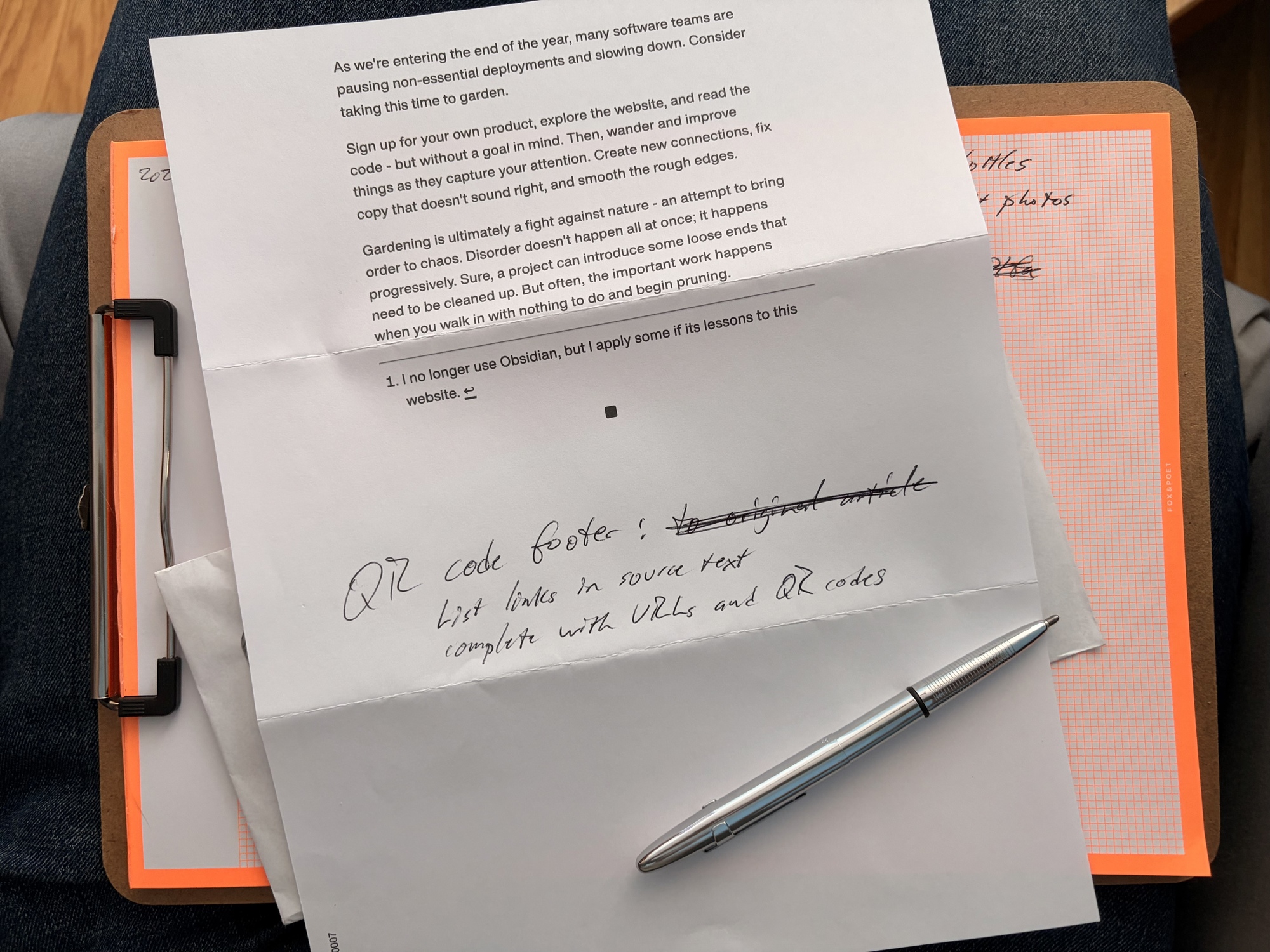
Philip I. Thomas sent me a mailed copy of his “Print Edition” post. I sat down in an armchair to read it, and found myself wanting to follow the links in the text. But I couldn’t - the blue underlined text was just text on paper.
Note
Philip uses Lob to print and mail his issues, which includes a single QR code on the header/mailing page to direct the reader to the single source article. BUT I didn’t grok that at first (it’s not labeled as anything and I assumed it was errata from Lob) and I think there should be a general solution to this outside of using Lob.
This isn’t a new problem. Over a decade ago, I wrote about how The Great Discontent handled links in their first print issue - they used numbered footnotes with shortened URLs. Back then, I noted that QR codes felt “large and intrusive.” But they’ve become ubiquitous since, and at 64 pixels square they’re unobtrusive enough to include alongside each URL.
I wanted to make link-following possible on my site. When someone prints one of my posts, I want them to still be able to follow the links I included.
The Solution: QR Code Footnotes
I wanted to take a similar approach to what Stripe Press does in its books (e.g. An Elegant Puzzle): footnotes with full links and QR codes.
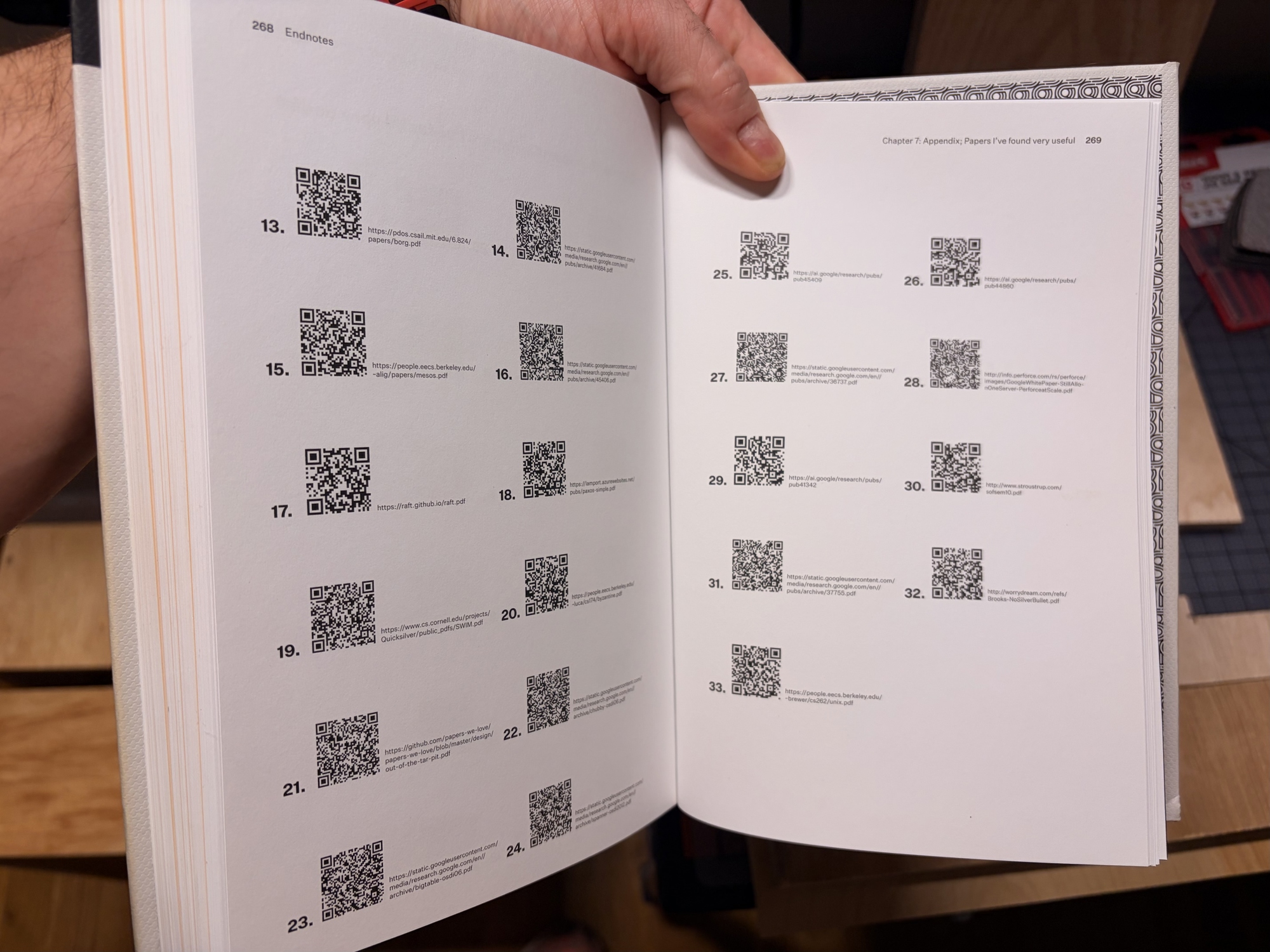
When you print any page on this site now, every link gets:
- A superscript footnote marker (like
L1,L2, etc.) - A corresponding entry in a “[L]inks” section at the end with the full URL and a QR code
The L prefix distinguishes these from any regular footnotes on the page, and ties visually to the “[L]inks” header. Readers can either type the URL or scan the QR code with their phone to follow the link.
How It Works
The implementation uses the browser’s beforeprint event to generate footnotes just before printing. The qrcodejs library is preloaded so it’s ready when needed:
<script src="https://cdn.jsdelivr.net/gh/davidshimjs/qrcodejs/qrcode.min.js" async></script>
Building the Link List
When printing is triggered, it collects all unique links from the page content, seeding the list with the current page URL as item 0:
var links = [{href: document.location.href, anchor: null, label: 'This page:'}];
var seenUrls = new Set([document.location.href]);

// you would replace this selector with something specific to your content's page structure
var anchors = document.querySelectorAll('article a[href], .text a[href], .h-entry a[href]');
anchors.forEach(function(anchor) {
    var href = anchor.href;
    var rawHref = anchor.getAttribute('href');
    // Skip hash links, javascript:, hidden elements, and duplicates
    if (rawHref.startsWith('javascript:') || rawHref.startsWith('#') || anchor.closest('.print-hidden')) {
        return;
    }
    if (!seenUrls.has(href)) {
        seenUrls.add(href);
        links.push({href: href, anchor: anchor, label: null});
    }
});
The selector targets links within article content specifically - navigation, masthead, and footer links are already hidden in print via .print-hidden, so we skip those.
Generating Footnotes and QR Codes
For each link, we add a superscript to the anchor (if it exists) and create a footnote entry:
links.forEach(function(link, index) {
    if (link.anchor) {
        var sup = document.createElement('sup');
        sup.className = 'print-footnote-ref print-only';
        sup.textContent = 'L' + index;
        link.anchor.appendChild(sup);
    }

    var li = document.createElement('li');
    li.value = index;

    // QR code first for easy scanning alignment
    var qrContainer = document.createElement('div');
    qrContainer.style.cssText = 'width:64px;height:64px;display:inline-block;vertical-align:middle;margin-right:8px';
    li.appendChild(qrContainer);

    var urlSpan = document.createElement('span');
    urlSpan.textContent = link.href;
    li.appendChild(urlSpan);

    new QRCode(qrContainer, {
        text: link.href,
        width: 64,
        height: 64,
        correctLevel: QRCode.CorrectLevel.L
    });
});
CSS Considerations
A few CSS details make this work:
-
Print-only visibility: The
.print-onlyclass hides elements on screen but shows them in print. The superscripts and footnotes section both use this. -
Inline superscripts: The
.print-onlyclass usesdisplay: block !important, so the superscript refs needdisplay: inline !importantto stay inline with the link text. -
List markers: Using
display: flexon list items hides the default markers. Switching todisplay: list-itemwith explicitlist-style-type: decimalbrings them back.
.print-only {
  display: none;
}
@media print {
  .print-only {
    display: block !important;
  }
  #print-footnotes ol {
    list-style-type: decimal !important;
    list-style-position: outside;
  }
  #print-footnotes li {
    display: list-item !important;
  }
  .print-footnote-ref {
    display: inline !important;
  }
}
Gotchas
href property vs attribute: The anchor.href property returns the fully resolved URL (e.g., https://example.com/page#section), while getAttribute('href') returns the raw attribute value (#section). Using the attribute makes it easy to filter out in-page anchor links.
CSS display conflicts: The .print-only class uses display: block !important for print media. Superscript elements inside links need display: inline !important to stay inline with the link text rather than breaking to a new line.
Why This Matters
This isn’t just for mailed print publications like Philip’s. I sometimes print web pages to archive on my physical bookshelf, or print recipes, instructions, and reference tables to use around the house. Others save web pages to PDF. In all these cases, the links in the original content become dead text unless you preserve them somehow.
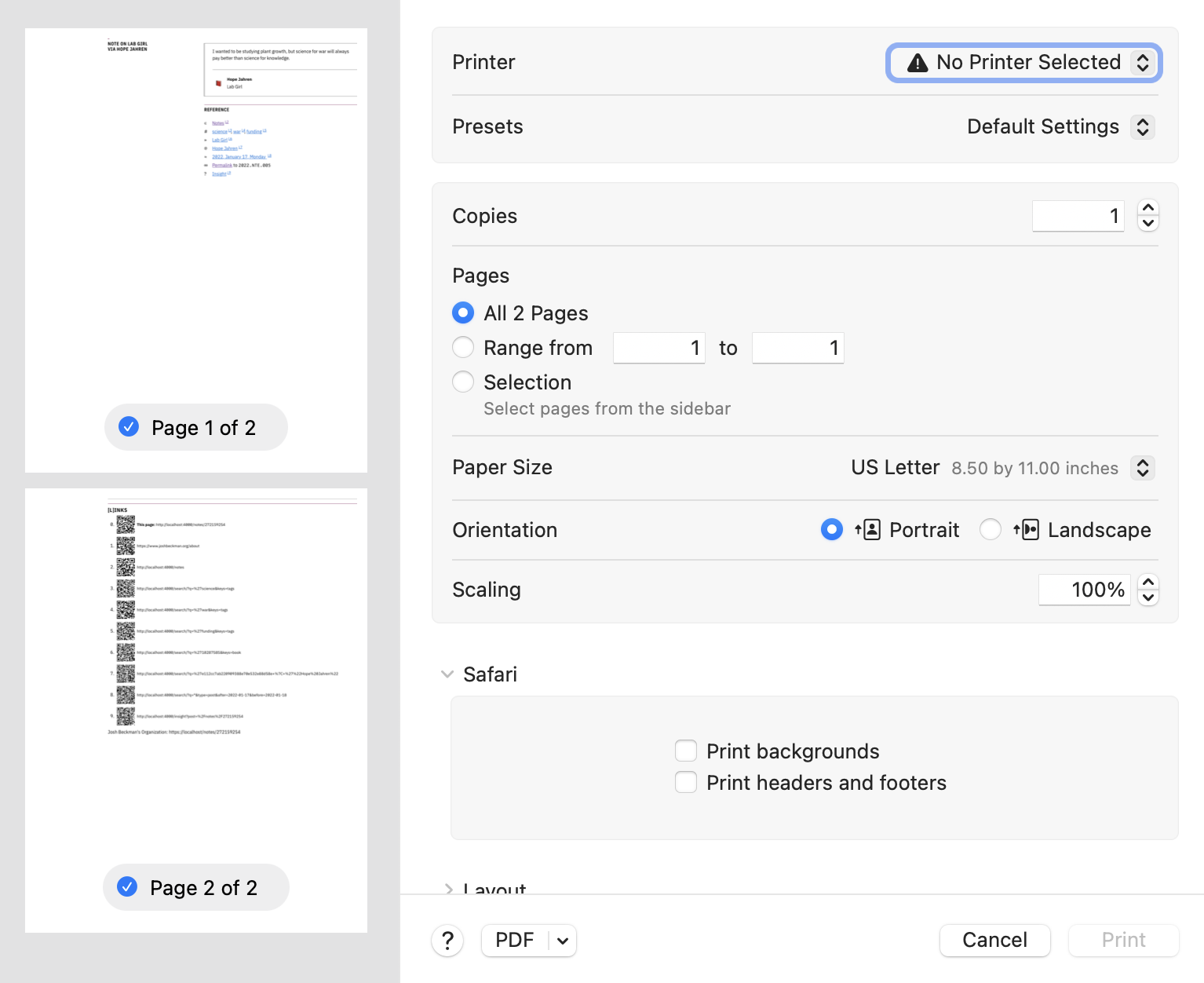
Now when someone prints an article from my site, the links stick around. They can scan a QR code or type a URL. The reference is preserved.
Reference
-
Permalink (
2026.BLG.008) - On
- In Blog / Practicing
- Tagged personal-blog, code-snippets, language-javascript, publishing, accessibility
- Edit
| ← Previous | Next → |
| Treadmill Runs are Easy 🏃 | Twelfth Physical Therapy 🏋️ |